Logchef is a query and UI layer that connects directly to an existing VictoriaLogs deployment. It does not ingest, copy, or move logs. Your existing log shipper continues to send data to VictoriaLogs.
Before you begin #
Use Logchef v2.0.2 or later. You need a reachable VictoriaLogs base URL and credentials if your deployment requires them. See the Logchef quickstart to deploy Logchef, or try the Logchef demo .
Logchef sends queries to VictoriaLogs using LogsQL . If your VictoriaLogs deployment uses tenants, review the VictoriaLogs multitenancy documentation .
Add a VictoriaLogs source #
As a global admin:
- Open Sources, select Add Source, and choose VictoriaLogs.
- Enter the VictoriaLogs Base URL.
- Select an authentication method: No Auth, Basic Auth, or Bearer Token.
- If you use VictoriaLogs multitenancy, enter Account ID and Project ID together. Both are required and must be numeric unsigned 32-bit integer values. Logchef sends them as
AccountIDandProjectIDrequest headers. - Optionally set an Immutable Scope Query to constrain the source.
- Set Timestamp Field to
_time. Set Severity Field to the field in your dataset that contains severity, such aslevel. - Validate the source, then save it.
- Assign the saved source to the team that should access it.
The base URL must be reachable from the Logchef process. If Logchef and VictoriaLogs run in different Docker containers, use the VictoriaLogs service name or another container-reachable address. Do not use localhost to refer to a different container.
An immutable scope and tenant settings apply server-side to every query, histogram, field-values lookup, live tail, and alert evaluation issued through Logchef. For example, a scope can restrict a source to kubernetes.namespace:="prod". Direct access to VictoriaLogs is outside Logchef’s team and scope controls.
For detailed source configuration, see the Logchef VictoriaLogs tutorial .
Choose a query mode #
Use LogchefQL for straightforward filters that use the same syntax across supported backends:
level="error" and service="api"
Use native LogsQL for VictoriaLogs-specific syntax and pipes:
level:="error" service:="api" | fields _time, _msg, service, level
Logchef sends the selected time range to VictoriaLogs as start and end parameters. Use native LogsQL when you need its full query language. See the
LogsQL reference
for syntax and pipe operators.
Explore and operate on logs #
With a VictoriaLogs source, Logchef provides field discovery, histograms, result views, saved queries and collections, dashboards, alerts, live tail, CLI/MCP access, and team access. Immutable scope and tenant settings continue to apply server-side for these source operations.
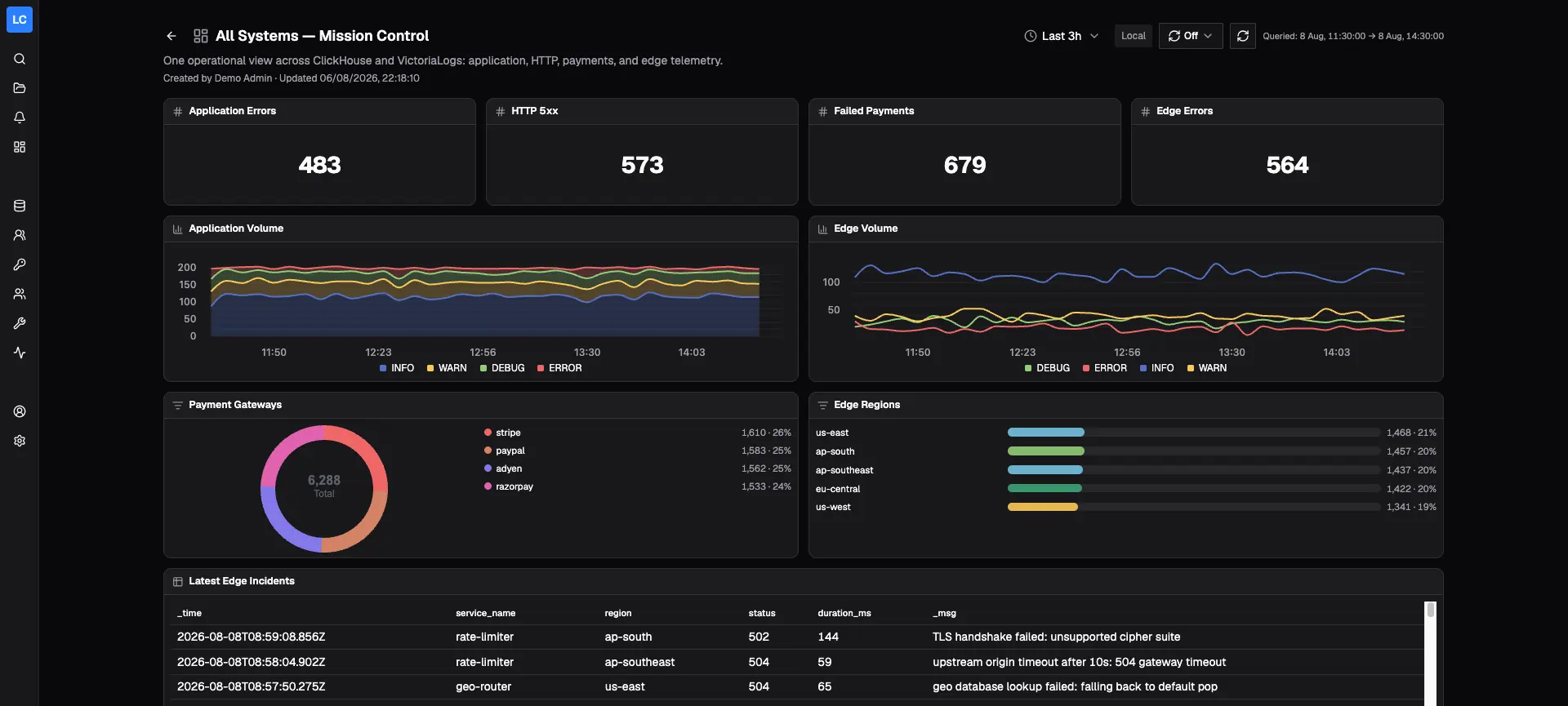
For explorer histograms and dashboard stat, time-series, and breakdown panels, use filter expressions. Pipes are ignored for these histograms and panels, so their counts may differ from the results of the full query. Table queries can use full native LogsQL pipes.
Limitations #
The following Logchef features are ClickHouse-only and are not available for VictoriaLogs sources:
- Surrounding-log context
- Full-result export or download