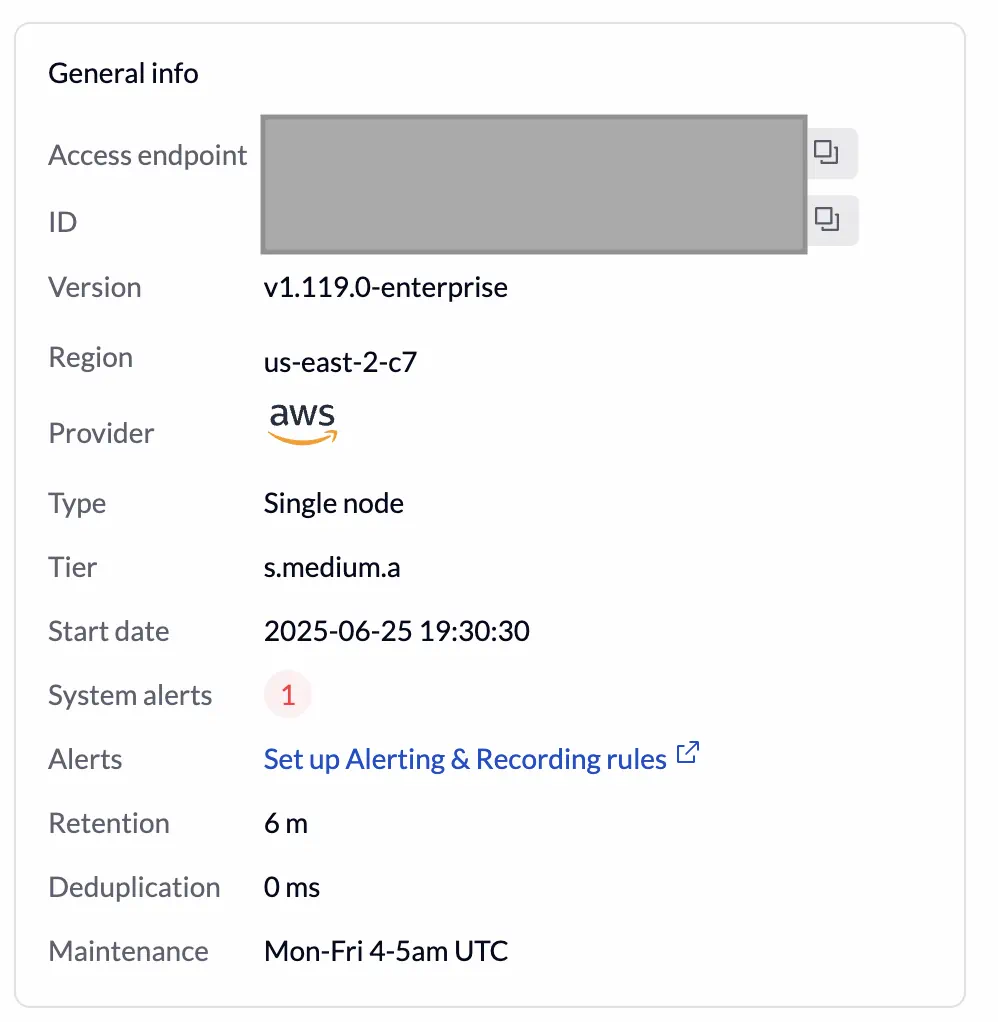
Hard limits described in this section only apply to the VictoriaMetrics Capacity Tiers . In VictoriaLogs Capacity Tiers only Access Token limits are enforced at the moment.
Apart from the capacities per tier described in the
corresponding page
,
VictoriaMetrics Cloud also enforces hard limits in order to ensure operations. Users can expect
receiving alerts when these thresholds are surpassed, and new metrics eventually being rejected.
The majority of these limits are available under the Monitor tab of the
deployments
section for each of your instances.
Common limits to all Capacity Tiers #
VictoriaMetrics Open Source projects come with several limits that enforce proper behavior and aim to avoid production issues. Such default limits are generally kept, and if a particular Capacity Tier is hitting a limit, a higher tier will be needed. Here are several examples of such limits:
- Max datapoints per query - default to 30k (search.maxPointsPerTimeseries)
- Max samples per series - default 30M (search.maxSamplesPerSeries)
- Max samples per query - default to 1B (search.maxSamplesPerQuery)
- Max search timeout - default 30 seconds
For reference:
- A comprehensive list of these limits may be found here
- The above limits typically correspond command-line flags
Limits that depend on the Capacity Tiers #
As stated above, limits are created to avoid critical issues. Please read the recommended usage per Capacity in the Capacity Tiers page to understand optimal loads.
The following list is created to help users understand how limits are defined per tier:
| Parameter | Maximum Value | Description |
|---|---|---|
| Ingestion Rate | 200% of the Capacity Tier Ingestion Rate. | Number of time series samples ingested per second. |
| Number of Access Tokens | Depends on the Capacity Tier. Higher tiers allow more tokens. | Maximum number of access tokens that can be created per deployment. Contact support to request higher limits. |
| Access Token max concurrent requests | Typically <= 600, and depends on the tier. Use cases with a high number are recommended to use VictoriaMetrics
Cluster version
. | Maximum concurrent requests per access token . It is recommended to create separate tokens for different users and environments. This can be adjusted via support . |
| Concurrent inserts and search requests | Depends on each Capacity Tier and increases upon the assigned CPU. Use cases with a high number are recommended to use VictoriaMetrics Cluster version . | The maximum number of Read and Write concurrent requests. |
| Maximum unique time series | Depends on each Capacity Tier and increases upon the assigned Memory. | Maximum number of time series returned from /api/v1/series . |
Limits in Number of Access Tokens #
Each deployment has a limit on the number of Access tokens that can be created, based on the tier:
VictoriaMetrics deployments:
| Tier (Active Time Series) | Access token limit |
|---|---|
| 500k | 10 |
| 1M | 20 |
| 2M | 30 |
| 3M | 40 |
| 4M | 50 |
| 5M | 60 |
| 7M | 70 |
| 10M | 80 |
| 12M | 90 |
| 15M | 100 |
VictoriaLogs deployments:
| Tier (CPUs) | Access token limit |
|---|---|
| 1 | 20 |
| 2 | 40 |
| 3 | 60 |
| 4 | 80 |
| 5 | 100 |
If you need to increase the Access token limit for your deployment, please contact support with your request.
Exceeding Limits #
When usage exceeds the limits of a Capacity Tier, users may experience throttling or errors. In these cases, a notification via the alert system is triggered when approaching or reaching the limit. Consider upgrading to a higher tier or contacting support for guidance.
Monitoring Limits #
Most relevant tier limits are available in the VictoriaMetrics Cloud deployment overview page.
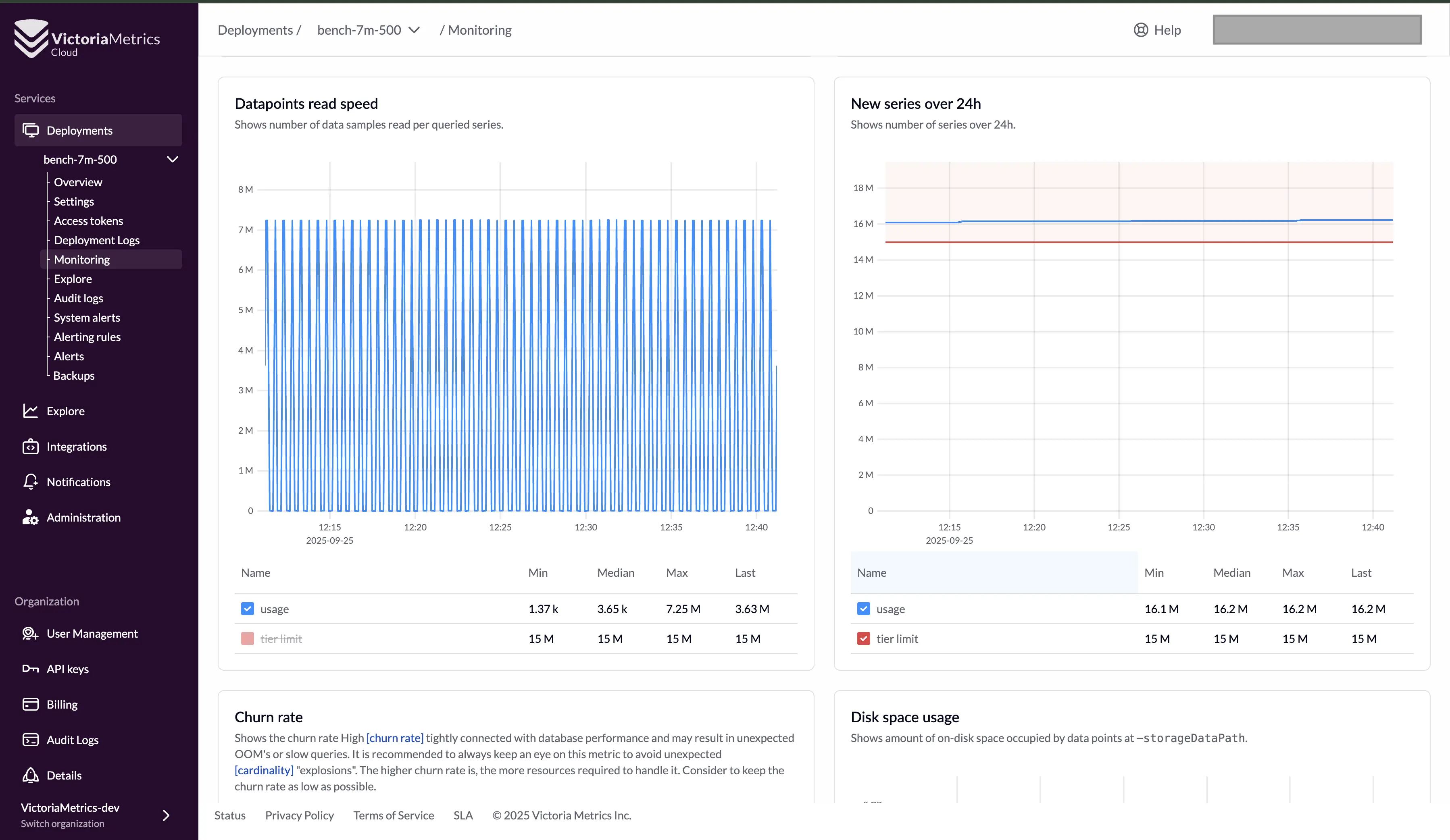
You can also check your current tier limits and usage in the Monitoring panel of your deployment within the VictoriaMetrics Cloud dashboard.
A selection of common relevant tier limits are available in the VictoriaMetrics Cloud deployment overview page.
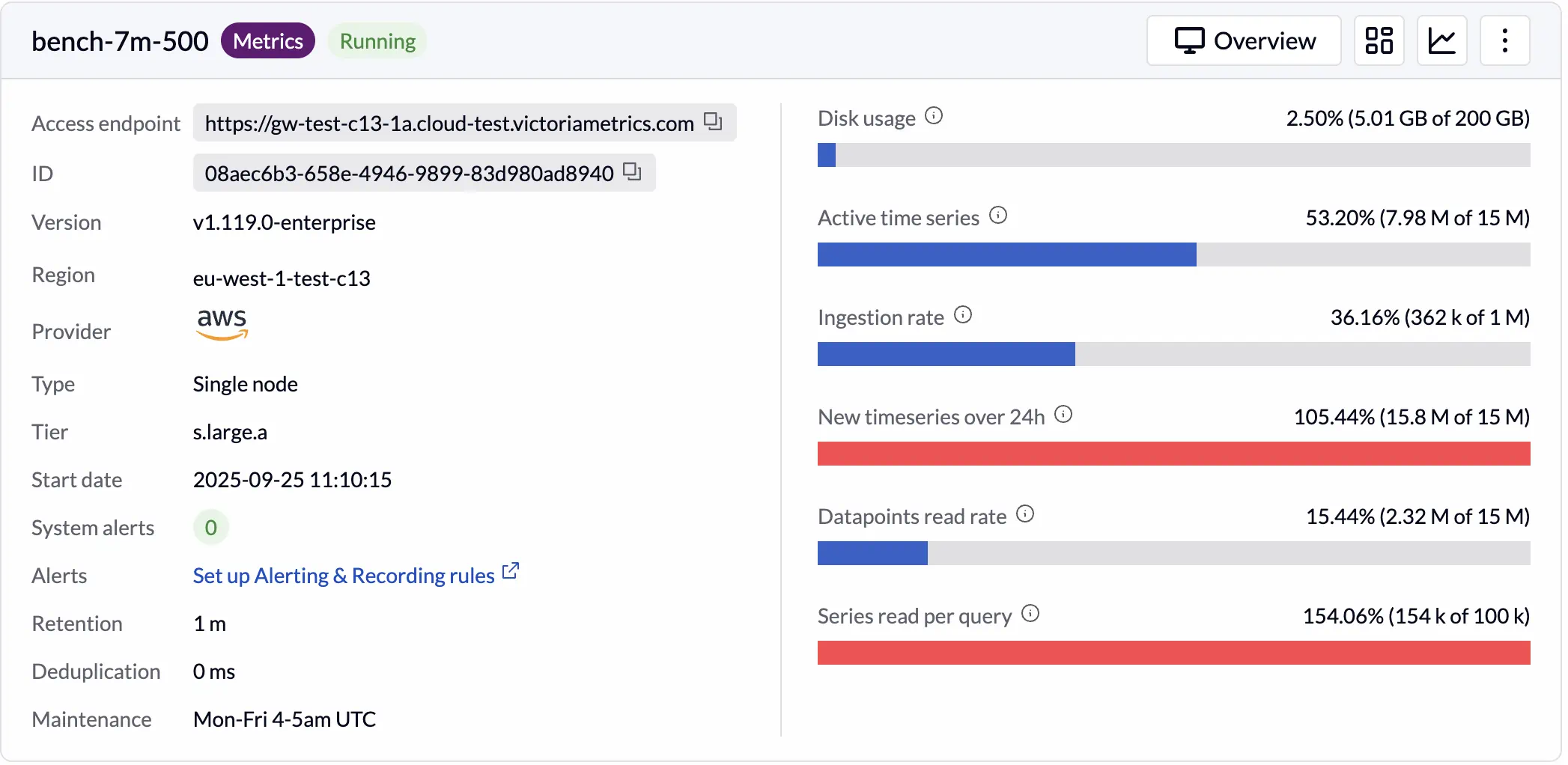
Current tier limits and usage may be checked in the Monitoring panel for each deployment within the VictoriaMetrics Cloud dashboard. This is built to help proactively monitoring resource consumption and avoid unexpected issues.
Limits and Alerts #
When a limit is approached or exceeded, a system alert will be generated to notify the situation. The system alert will appear in the Alerts section of the VictoriaMetrics Cloud dashboard.

These alerts may also be configured to be sent to a desired email address or via the Slack notifications in the VictoriaMetrics Cloud Notifications section.
Monitoring Alerts #
All system alerts are visible for each deployment overview page.