Exploring data in VictoriaLogs #
This section describes the capabilities available in the Explore section of VictoriaLogs deployments.
You can Explore your data accessing to this section in the two following ways:
- Explore page at console.victoriametrics.cloud/explore
- Per deployment, via a dedicated URL pattern:
console.victoriametrics.cloud/deployment/<DEPLOYMENT_ID>/explore
Visual Query Exploration #
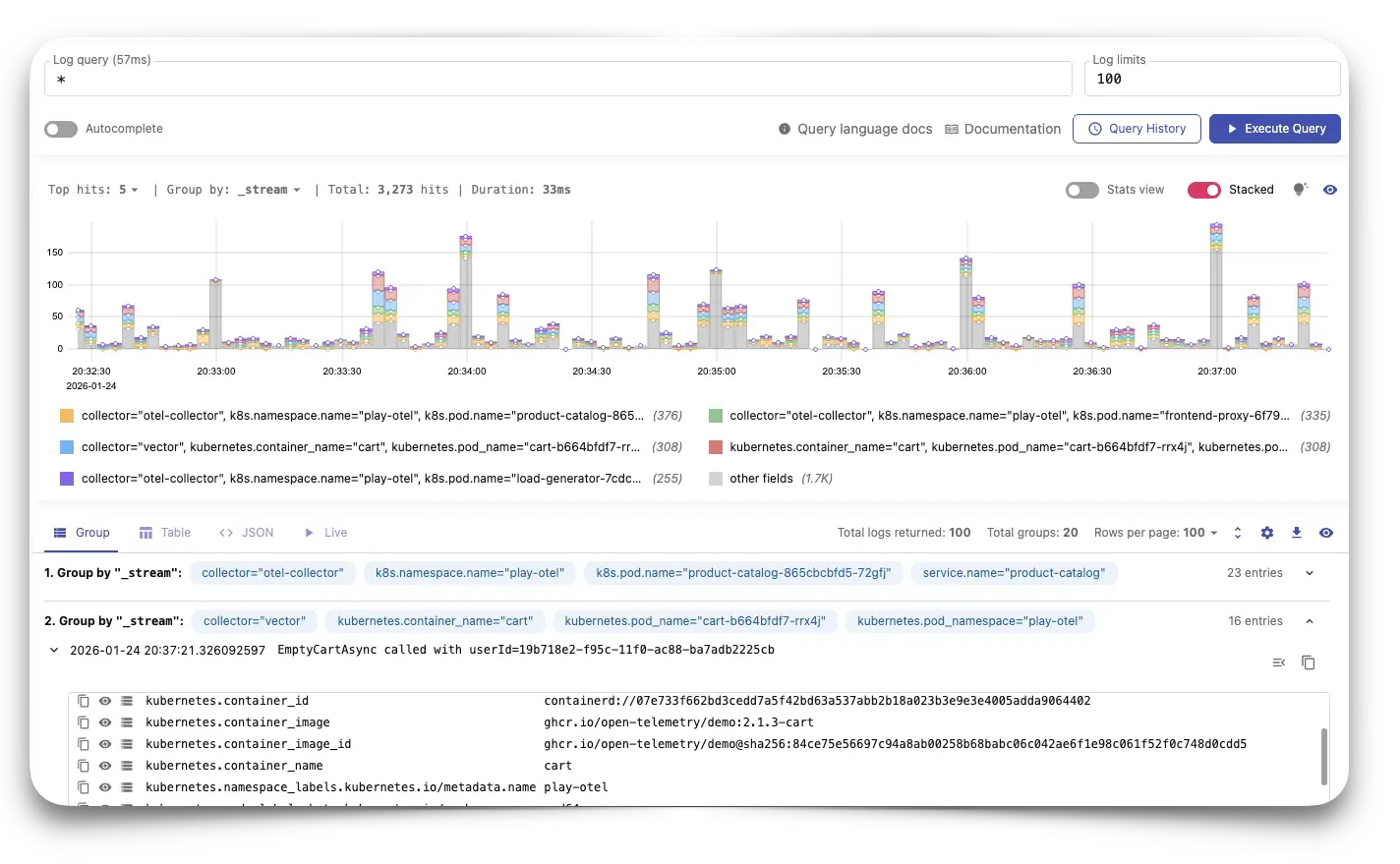
The Query utility in the Explore page allows you to easily:
- Visualize the distribution over time of your logging data
- Group sets of logs by streams
- Test complex queries before saving them into dashboards with the VictoriaLogs plugin for Grafana
- Prettify your queries to improve readability
- Autocomplete to help you writing queries
- Query history: Check your
sessionorsavedhistory, along withfavoritequeries. - Analyze your logs in different formats: Group, Table, Json or even Live.
Logs Overview #
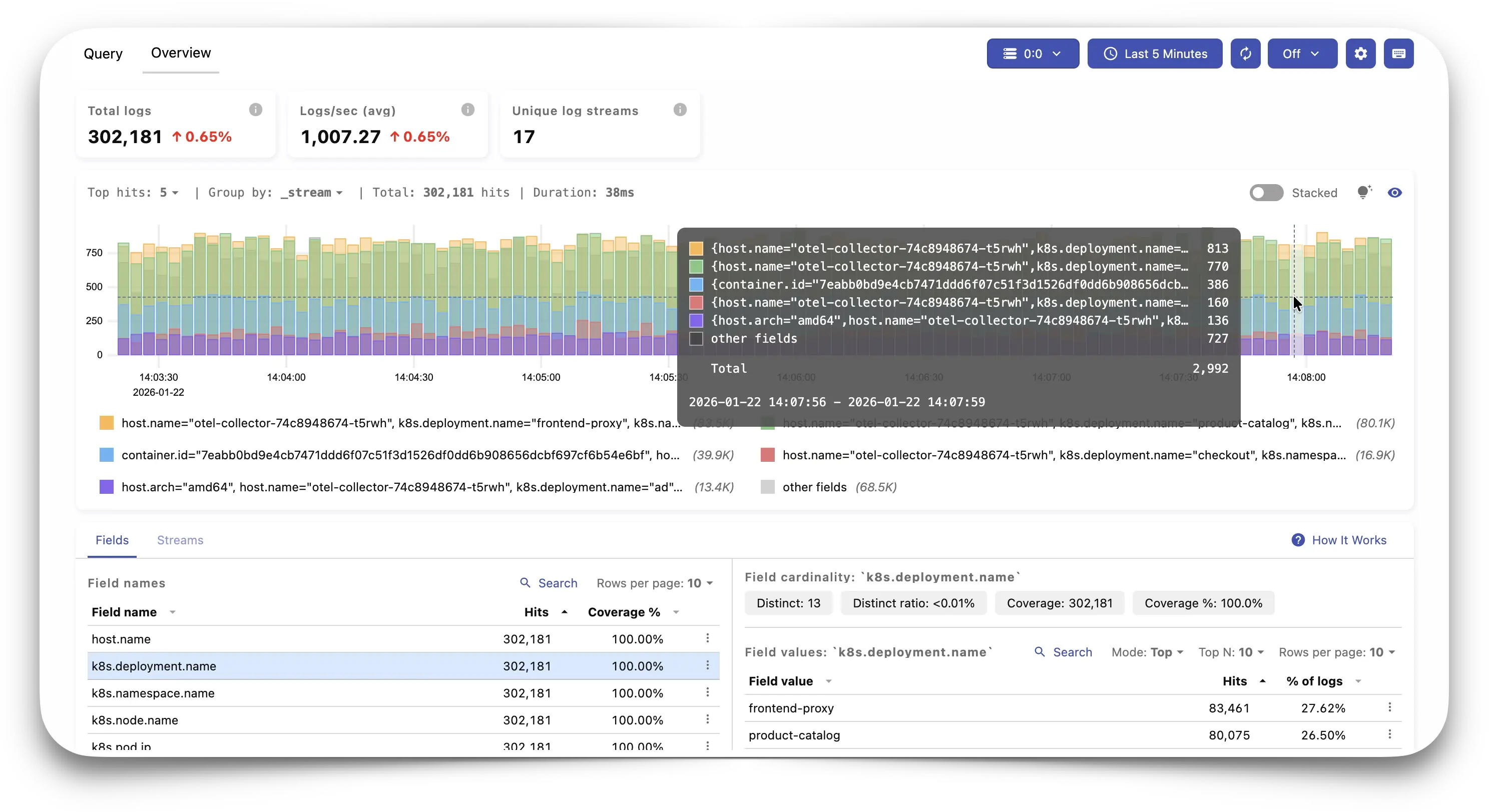
Apart from querying logs in the Query section, the Overview functionality provides a high level
view of the logs available in the system, together with sections that allow to easily spot noisy or
rare fields/streams and their values, and quickly filter the rest. In summary, in the overview
page, users can:
- Check the total logs, average logs/s and unique log streams for a given time period
- Visualize the distribution over time of all logs
- Names table: shows field or stream names and the number of logs per name
- Values table: shows Top/Bottom N values for the selected name and the number of logs per value
- Clicking in names or values focuses on the selected data and makes automatic filters
Apart from helping to analyze data, this Overview section includes tips and hints that can serve to discover useful ways to query data.
LogsQL #
In addition, VictoriaMetrics Cloud supports advanced querying through LogsQL , a simple and powerful query language for VictoriaLogs.
To get started using LogsQL, the following documentation and guides may be useful:
- Examples
- LogsQL tutorial
- How to convert Loki queries to VictoriaLogs queries
- SQL to LogsQL conversion guide
Visit the main LogsQL documentation to get know more about the language, including tutorials, key concepts, filtering tips, how to use pipes in different ways, or even transform your data!