The section explains the Notifications concept in VictoriaMetrics Cloud.
What are notifications? #
The purpose of notifications is to help teams stay informed about critical events, product updates, and account activities. They are divided into different interest groups:
System alerts: Critical updates about platform health and infrastructureBilling: Notifications about invoices, usage limits, and payment issuesProduct news: Updates on new features, improvements, and releasesActivity: Events related to user actions and deployments
Default notification recipients #
By default, organization administrators are automatically subscribed to all VictoriaMetrics Cloud notification categories.
Dedicated documentation about User Management is available, including roles and permissions, user management and organizations.
Configuring notifications #
Organization administrators can manage notification settings by using the pencil (✏️) icon next to each category to edit recipients. Changes done apply across the whole organization. At a user level, it’s also possible to opt-out from available notifications.
Notifications can be received in the following channels:
- Email addresses can be defined for all notification types
- Additionally, Slack channels can be defined to receive System Alerts.
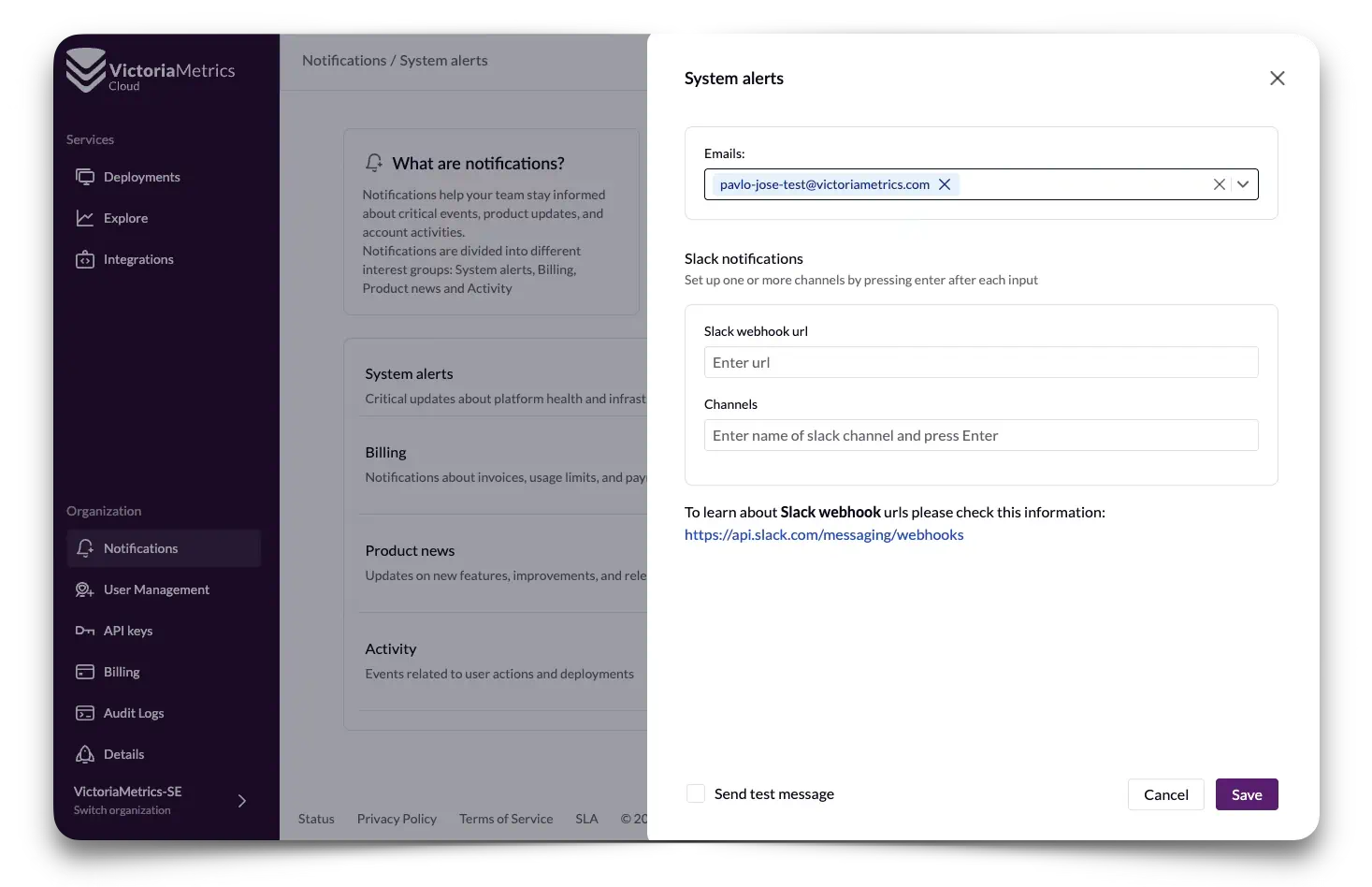
Not sure if everything is properly defined? Click on Send test message and click Save to
make a fast check.
Configuring Slack notifications #
Slack channel notifications may be configured for System Alerts via webhooks. In order to define where in Slack notifications should show up, VictoriaMetrics Cloud needs to know:
- The Slack webhook url
- The Channels to receive notifications
To learn about Slack webhook urls please check this information: https://api.slack.com/messaging/webhooks . In a nutshell, it’s needed to create a Slack app, enable incoming webhook, and create an incoming webhook.
The webhook url to paste in VictoriaMetrics Cloud will have the following format:
https://hooks.slack.com/services/T00000000/B00000000/XXXXXXXXXXXXXXXXXXXXXXXX
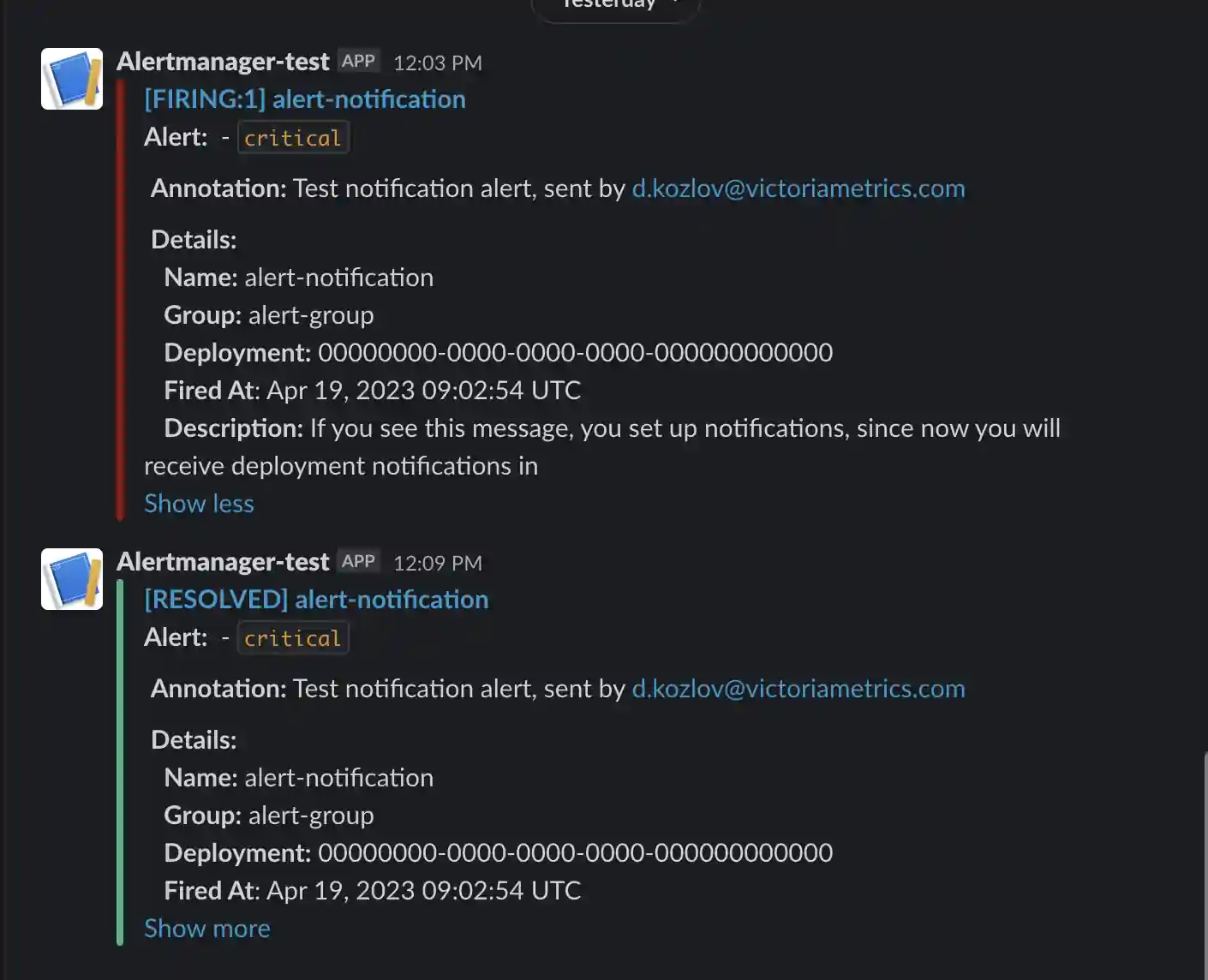
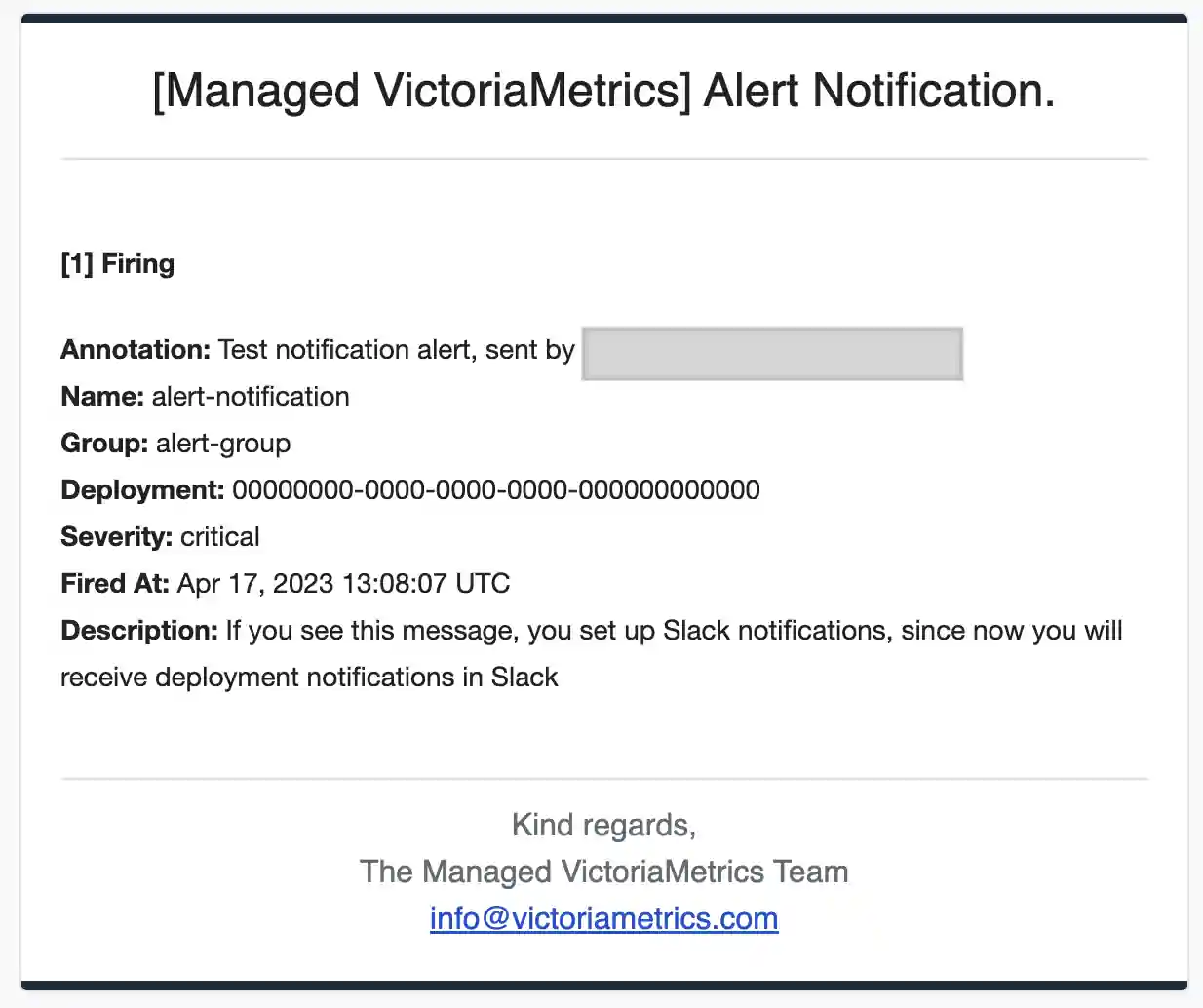
Expand to see notification message examples
Setup Webhook notifications #
Webhook notifications allow you to send alerts to any HTTP endpoint that accepts POST requests. This is useful for integrating with custom alert handlers or third-party services such as Grafana Alerting .
Authentication #
Choose one of the following authentication methods:
- Basic Auth – Enter a username and password.
- Bearer Token – Enter a bearer token to be sent in the
Authorizationheader. - No Authentication – Leave authentication fields empty if your endpoint does not require it.
Configuration #
- Enter the destination URL of your HTTP endpoint.
- Select the desired authentication method and fill in the required credentials.
- Press Save to store your settings, or Save and Test to save and immediately send a test notification to the configured endpoint.
For a list of services that support Alertmanager webhook receiver integrations, see Alertmanager Webhook Receiver Integrations .