VictoriaMetrics integrates with Nightingale (n9e), an open-source monitoring and alerting platform, as a datasource for dashboards and alerting rules, and as remote storage for metrics received by Nightingale.
Resources:
Datasource #
Nightingale has no dedicated VictoriaMetrics datasource type. Use the Prometheus type,
since VictoriaMetrics supports
Prometheus querying API
:
- Go to
Integrations→Data sources→Addand selectPrometheus. - Fill the
URLfield:- single-node VictoriaMetrics:
http://<victoriametrics-addr>:8428/ - cluster VictoriaMetrics:
http://<vmselect-addr>:8481/select/<tenant>/prometheus/ - cluster VictoriaMetrics with
multitenancy via headers
:
http://<vmselect-addr>:8481/select/prometheus/, and addAccountID(and optionallyProjectID) to the datasourceHeaders
- single-node VictoriaMetrics:
- Set
Time series database typetoVictoriaMetrics. This makes Nightingale use VictoriaMetrics-specific endpoints for dashboard variables and for deleting series. - Click
Save & test.
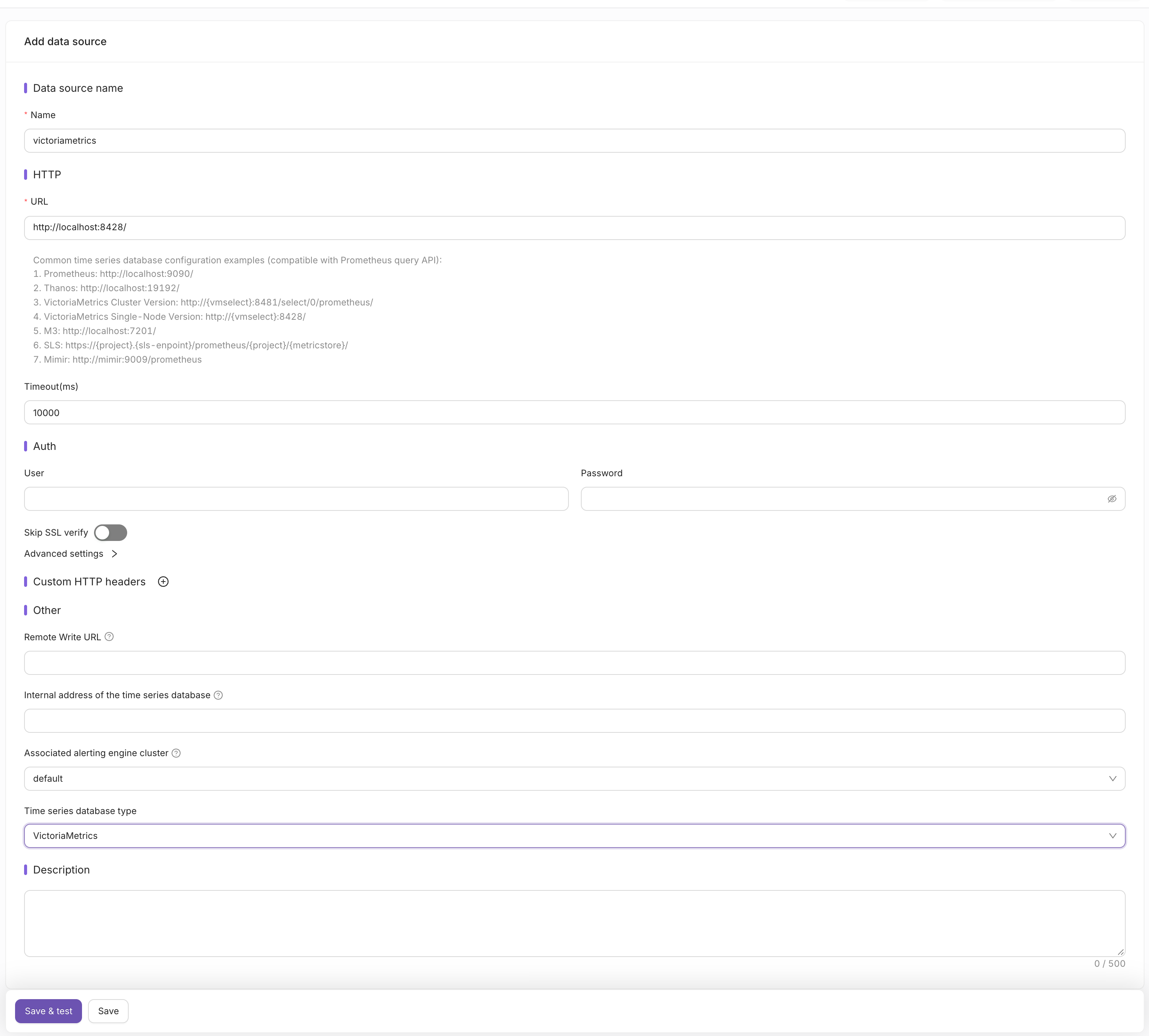
The configured datasource can be used in Nightingale dashboards, alerting rules and recording rules with MetricsQL expressions.
Remote write #
Nightingale can receive metrics from agents such as Categraf
and forward them to VictoriaMetrics via the
Prometheus remote write protocol
.
Configure the writer in Nightingale’s config.toml:
      [[Pushgw.Writers]]
# single-node VictoriaMetrics
Url = "http://<victoriametrics-addr>:8428/api/v1/write"
# cluster VictoriaMetrics
# Url = "http://<vminsert-addr>:8480/insert/<tenant>/prometheus/api/v1/write"
# cluster VictoriaMetrics with multitenancy via headers
# Url = "http://<vminsert-addr>:8480/insert/prometheus/api/v1/write"
# Headers = ["AccountID", "<account-id>", "ProjectID", "<project-id>"]
Note that the datasource URL for clustered version of VictoriaMetrics points to vmselect, while Pushgw.Writers points to vminsert. See more about VictoriaMetrics URL format
here
.
See
multitenancy
for the meaning of <tenant>.
Multitenancy via headers
is available starting from v1.143.0 and must be enabled on vminsert and vmselect via -enableMultitenancyViaHeaders command-line flag
(enabled by default starting from v1.150.0). If AccountID and ProjectID headers are missing, tenant 0:0 is used.
To store results of Nightingale recording rules in VictoriaMetrics, set Remote Write URL in the datasource form
to the same write endpoint as above. The datasource Headers are sent with these writes as well.
For VictoriaLogs with Nightingale integration, check this page .